Why use Contact Discovery
Contact Discovery allows you to get recommended new contacts to reach out to, not yet in your CRM either. All without leaving HG Insights.
Contact discovery is now powered natively by HG Insights. No need for additional contact data providers.
Contact current company is validated in real time- no risk of stale or incorrect data. Contact Email /Phone delivered through waterfall of Enrichment providers to maximize accuracy.
Get recommendations on key personas missing in your book of accounts with our contact discovery widget
Customers who already have existing integrations like ZoomInfo or Apollo can continue to use their contact data providers.
Add these key contacts to Salesforce, Gong Flows, Outreach Sequences or Salesloft Cadences.
Go further and search for additional people with the quick filters

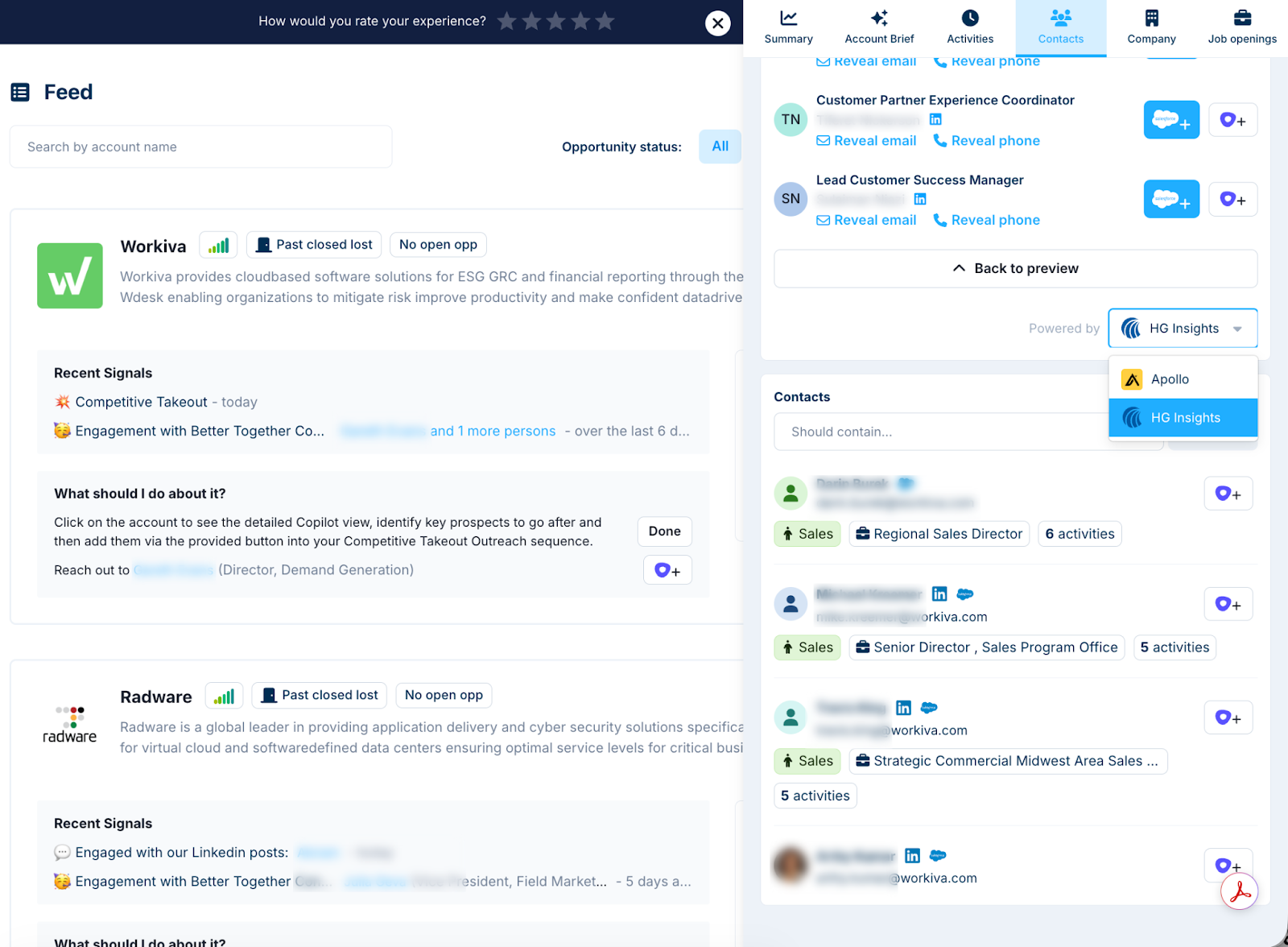
Supported providers for Contact Discovery
You can find contacts directly through HG Insights, or instead link your Apollo, ZoomInfo or Cognism license with us to find contacts. The user experience will remain unchanged, while the data provider will differ.
How to use Contact Discovery
If you are using an external Contact provider, please make sure to connect Apollo, ZoomInfo or Cognism in Admin app before following the steps below. If you’re looking to use HG Insights as your provider, there’s no other pre-requisites.
Log into Sales Copilot
Open any account
Go to tab Users
In the Contact Discovery widget, click on Discover. A list of recommended contacts appear
Choose an action: Add to Salesforce, Add to Outreach / Gong Engage / Salesloft
HG will only surface and create Contacts that don’t already exist for this Account
Add to Salesforce not working?
Please ask your admin to check if HG Insights has the Create permission on Lead/Contact in Salesforce
Learn more about the integration with ZoomInfo, Apollo and Cognism
FAQs
How does HG Insights decide which personas to recommend in Contact discovery?
HG Insights uses an algorithm based on your past opportunities in Salesforce to determine which personas will be most relevant for your sales team to reach out to.
Can I change the personas that are suggested?
Not at the moment.
When you add someone to Salesforce are they created as a lead or contact?
You have the option to create them as a lead or contact, depending on what works best for your workflows.
Is Contact Discovery consuming credits?
When you use HG Insights as the contact provider, to reveal contact phone, 1 credit is used and to reveal email, 0.2 credits from your organization’s account is used per contact revealed. An export to Salesforce will reveal both phone and email.
For other contact providers like ZoomInfo or Apollo, when you hit the button to add a contact to Salesforce this consumes 1 credit from your organization's account with the provider you connected.
I’m getting an error when trying to Add to Salesforce, why?
HG Insights needs the ability to create Lead/Contact and write in the following Lead / Contact fields
FirstName
LastName
Title (if available)
Phone (if available)
LeadSource = HG Insights
AccountId (for Contact object)
Company (for Lead object)
Please check with your Salesforce Admin the permissions associated with the salesforce user connected to HG Insights
The HG Insights Contact discovery tab surfaces contacts that are already in my CRM
People already existing in your CRM should remain excluded from the discovery list. However, this exclusion relies only on LinkedIn profile matching, since email matching cannot occur without exposing an email (and thus using credits). A CRM contact without a LinkedIn handle remains visible until revealed, at which point the email-based “In CRM” badge will apply.